Understand what SEO does for a blog
To write SEO-friendly blog posts, match a real reader need with a useful, easy-to-read answer. Choose a clear topic, research the words readers use, then shape the post around their questions. Add a strong title, helpful images, and links that support the reader. Check results and improve the post over time.
Search engine optimization (SEO) helps search engines find and understand your pages. It can also help readers decide whether your post answers their question. Strong SEO does not mean repeating a keyword in every paragraph. It means making the page clear, useful, and easy to explore.
Start by naming the task your post helps a reader complete. A post about fixing slow pages should explain likely causes and the first checks to make. Google’s SEO Starter Guide also stresses clear, helpful page content. Think of SEO as part of good editing, not a trick added at the end.
- Answer the main question early
- Use headings that describe each section
- Make each paragraph add useful detail
- Review the post when facts or tools change
That gives the post a clear purpose. It also gives you a sound base for keyword choices and later updates.
Choose keywords that fit the reader’s goal
Keyword research helps you learn how readers describe a problem. Begin with one main query, then list close questions and terms. Use search suggestions, customer emails, forum threads, and your site’s search data. These sources can show the language people use, not just the words you expect.
Next, check the pages that rank for your main query. Note their format, depth, and angle. A search for “best running shoes” calls for a comparison. A search for “tie running shoes” calls for quick steps. Match your format to the task, while adding details that competing pages miss.
Choose one primary phrase for the post and a few related terms. Place the main phrase in the title, opening, and a fitting heading. Use related terms where they help explain the topic. Do not force a phrase into lines where it sounds odd.
For example, a post on home composting might target “how to start composting.” Related phrases could include “compost bin size” and “what not to compost.” Each phrase points to a real reader question. Keep a short brief with the audience, goal, main phrase, and key questions before drafting.
Write a title that earns the click
A useful title tells readers what they will get. It should also set a fair expectation for the page. Put the main topic near the start when that reads well. Keep the wording plain, specific, and easy to scan.
Compare “Composting Tips” with “Start a Compost Bin: What to Add and Avoid.” The second title names a task and signals useful detail. It may draw the right reader, even without a dramatic claim. Avoid promises the article cannot keep.
- Name the topic or outcome
- Add a concrete detail when it helps
- Use a distinct title for each page
- Read the title aloud to catch stiff wording
Write the title after you know the post’s main point. Then check that it matches the page, not just the search query. A clear title can support clicks, but it cannot replace a strong answer. Search results may also show a different title link.
Write a meta description that sums up the page in a few direct lines. Mention the reader’s need and the value of the post. Treat it as a helpful preview, not a ranking trick. Make sure it reflects the content people will find after clicking.
Build content around real reader needs
Before drafting, write the answer to the main question in one sentence. Use that answer to guide the opening and each section. Then cover the smaller questions that help a reader act. This keeps the post focused and reduces filler.
Use headings to show the order of ideas. Put the key point first, then explain why it matters and how to apply it. Short paragraphs help readers scan. Lists work well for steps, checks, and groups of examples.
Include detail that makes the advice usable. For a composting post, state what to add, what to leave out, and how to fix a bad smell. Give a clear example, such as balancing wet food scraps with dry leaves. Concrete detail helps more than repeating the target phrase.
Use your keywords where they fit the meaning. Read the draft aloud and remove repeated phrases or vague claims. Add links to useful pages on your site when they help readers take the next step. Link to a trusted source when a claim needs support.
Before publishing, check facts, spelling, links, and mobile layout. Ask whether the post gives a full answer without making the reader hunt. Then check whether the title, headings, and opening all describe the same topic. That final edit often makes the biggest difference.

Write alt text that explains the image
Alt text describes an image for readers who cannot see it. Screen readers may read it aloud, and search engines can use it to understand the image. Write it for the image’s purpose in that section. Keep it brief and factual.
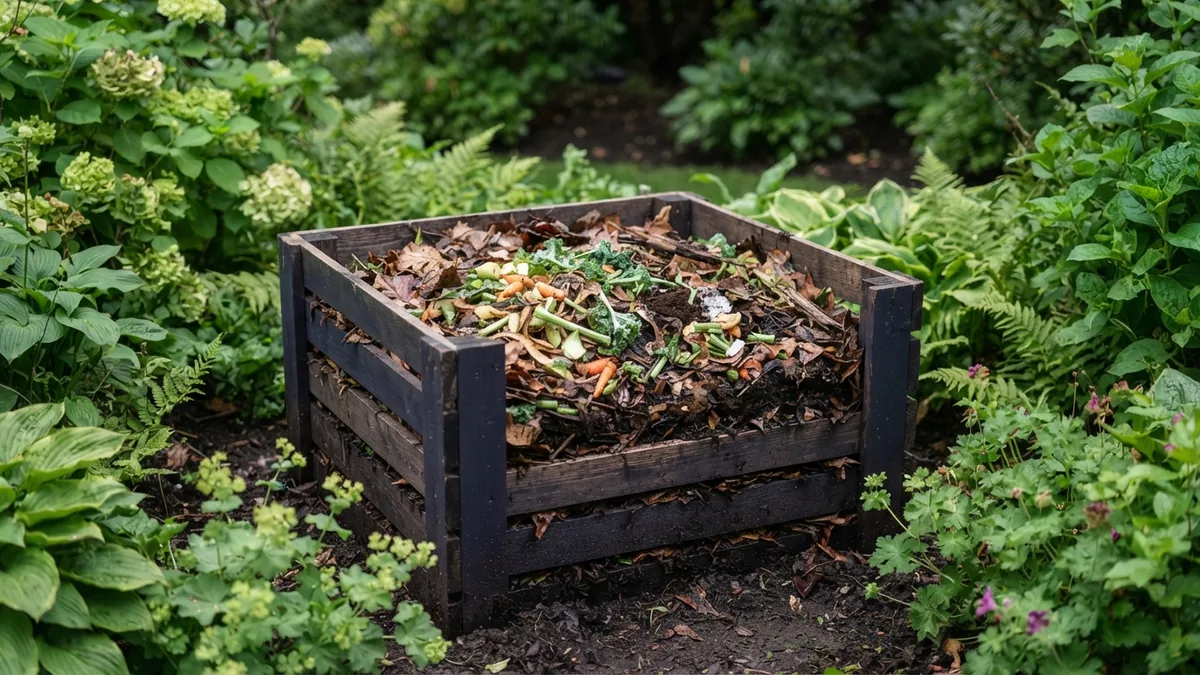
For a photo of a compost bin with dry leaves and food scraps, useful alt text might be “Compost bin layered with dry leaves and vegetable scraps.” It names the key details without stuffing in search terms. If the image is only decorative, use empty alt text in the page code.
When deciding how to write SEO-friendly alt text for your images, ask what information the image adds. Do not begin with “picture of” or cram in several keywords. A chart may need a short description of its key finding. Put longer data details in nearby text as well.
Alt text is not a caption. A caption appears on the page and can add context for all readers. A helpful caption and accurate alt text can serve different needs. Check your site’s image field to confirm the text reaches the image’s alt attribute.
Optimize images before you upload
Large image files can slow a page, especially on mobile networks. Resize each image to fit its display size, then compress it to reduce file weight. Keep enough detail for the image to look clear. Test the page after upload, since image size is only one part of load speed.
Use a descriptive file name before uploading. “compost-bin-leaves.jpg” gives more context than “IMG_2048.jpg.” Keep names short, use lowercase letters, and separate words with hyphens. Do not rename files with a string of keywords.
Choose a file type that suits the image and your site tools. Modern formats can shrink files while keeping good quality, but check browser and platform support. Set image dimensions where possible to reduce page shifts as images load. Google’s guide to Google Images covers image context and page signals.
- Crop out details that do not help the reader
- Compress the file without making it blurry
- Use a clear file name with real image details
- Add alt text that fits the image’s role
These steps help users and search engines make sense of your images. They also help keep pages lean. Review image quality on a phone, not only on a large screen.

Promote the post and build useful links
Publishing is the start of a post’s life, not the end. Share it with the groups and channels your readers already use. Write a short note that names the problem and explains why the post helps. Avoid posting the same bare link everywhere.
Turn one post into several useful pieces. Share a key tip on social media, include the post in a relevant email, or adapt its steps into a short video. Each version should fit the channel. Link back to the full post when it offers deeper help.
Build links by making the post worth citing. Original examples, clear data, and helpful checklists can give other writers a reason to refer to it. You can also contact sites that cover the same topic and point out a useful resource. Keep the note brief and relevant; do not ask for links from unrelated sites.
Check visits from search, clicks, and engagement over time. If readers leave quickly, see whether the opening answers their question. If the post gets views but few clicks, test a clearer title. Use the data to improve the page, not to chase one metric alone.

Use a repeatable publishing check
A simple check before publishing can catch gaps without slowing your work. Confirm that the post has one clear goal and answers the main question near the top. Check that each heading leads to useful detail. Remove sections that do not help the reader.
Then review the title, meta description, links, images, and layout. Read the post on a phone and click each link. Make sure images load, alt text fits, and key steps remain easy to follow. This last pass turns a sound draft into a page ready for readers.
There is no single trick for how to write an SEO-friendly article. The core method is steady: choose a real need, write a complete answer, make the page clear, and share it with the right audience. Track what happens and update the post when it falls short. Useful work earns trust over time.